Context Loss Issues Encountered with Antigravity CLI
This post was written and edited with AI, then published after operator review. Thumbnails may also be AI-generated.
I first introduced Antigravity CLI during a legacy service migration. The first few days went smoothly, but as the number of files grew, the CLI started modifying files it had “already fixed.” Upon inspection, I found that context was resetting between sessions, causing the CLI to proceed with subsequent tasks completely unaware of previous decisions. This led to the same function signature being changed twice, breaking tests written in between both times.
This post explores how Antigravity CLI handles context, where loss occurs, and patterns to maintain intent across sessions. If you’re experiencing symptoms like “the CLI randomly changes code,” the cause is likely not a tool bug.
After reading this post, you’ll understand why context breaks when crossing session boundaries in Antigravity CLI and what file structures and calling patterns to use to prevent it.
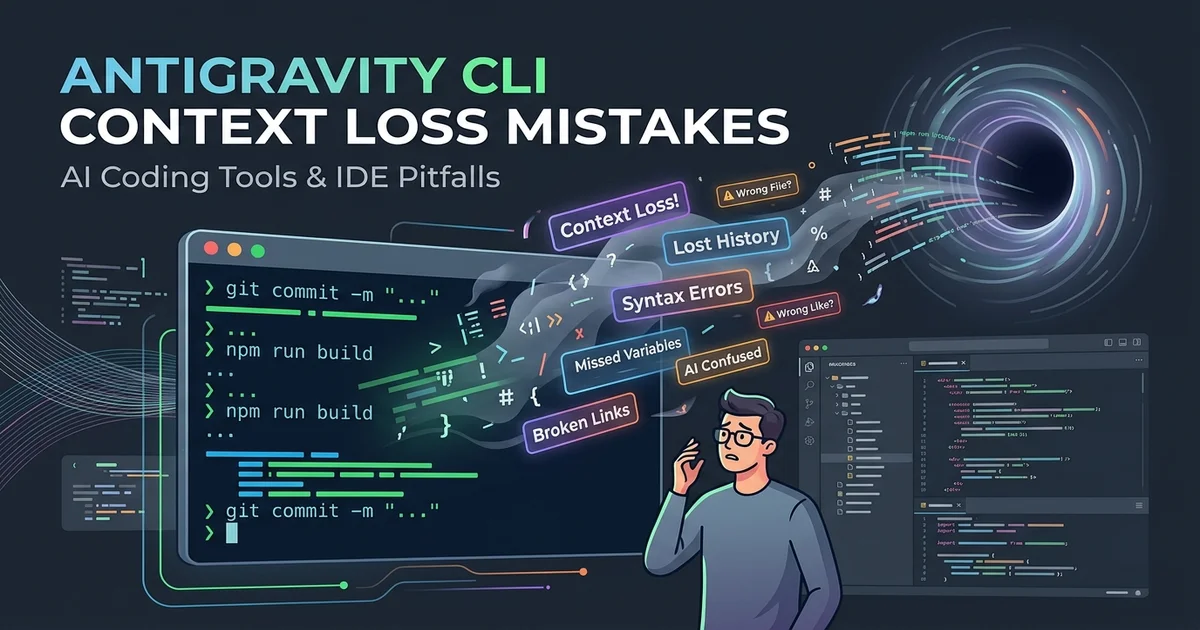
© AI Generated Image
Identifying the Symptoms
Here’s a reproducible scenario:
- In the first session, I instruct the CLI to change the return type of the
get_userfunction inuser_service.pyfromdicttoUserDTO. - The CLI completes the modification.
- I close the terminal and open a new session the next day.
- I instruct the CLI to refactor the part that calls
get_userinorder_service.py. - The CLI reverts
get_userback to returningdict.
The cause is simple. Antigravity CLI manages context on a session-by-session basis by default. When a new session starts, decisions made or file changes from previous sessions are not carried over. The CLI only reads the current file state, and if comments or type hints within the file are incomplete, it infers the original pattern.
Three Points of Context Loss
1. Session Boundary
This is the most common point. The antigravity session object disappears from memory when the process terminates. While the --session-file option allows saving session state to a file, it’s off by default.
# Save session state to file — off by default
antigravity run --session-file .ag/session.json "Change get_user return type to UserDTO"
If you omit this option, the next execution starts with a completely empty context because there’s no session file.
2. Scope Overload
Including too many files at once truncates the internal context window. Antigravity CLI converts the instructed file list into tokens, and if it exceeds the limit, later files are omitted. When this happens, type definitions or interfaces in the omitted files are cut off, leading to modifications that contradict previous decisions.
# Bad example: Passing an entire directory at once
antigravity run --include "src/**/*.py" "Apply UserDTO"

# Better example: Separating by module
antigravity run --include "src/user/*.py" "Apply UserDTO"
antigravity run --include "src/order/*.py" --session-file .ag/session.json "Modify UserDTO call sites"
3. Absence of Explicit Decisions
The CLI reads files and infers patterns. If a domain decision (“this service enforces a DTO layer”) is not explicitly stated anywhere in the code, there’s no basis for a new session to re-infer that decision. Consequently, the CLI follows the simplest pattern visible in the files.
Prevention Patterns
Explicitly State Decisions with a Context File
Place a .ag/context.md file in your project root and automatically include it in all sessions. This file should contain only domain decisions that cannot be inferred from the code.
<!-- .ag/context.md -->
# Project Context

## Architectural Decisions (ADR)
- Service layers return DTOs. Direct dict returns are prohibited.
- UserDTO: Refer to src/models/dto.py
- External API responses must always be parsed and converted to DTOs.

## Ongoing Migrations
- get_user: dict → UserDTO conversion completed (2025-07-01)
- get_order: In progress
Always include this file with the --context option.
antigravity run \
  --context .ag/context.md \
  --session-file .ag/session.json \
  --include "src/order/*.py" \
  "Apply UserDTO pattern to get_order"
Deciding Whether to Git-Track Session Files
Whether to add .ag/session.json to Git depends on your team size.
- Solo work: It’s fine to add it. Session state is managed with the branch.
- Team work: Add it to
.gitignoreand share onlycontext.md. Session files contain individual developer’s execution states and are prone to conflicts.
# .gitignore
.ag/session.json
.ag/*.log
# context.md is tracked — shared team decision file
Breaking Down Execution into Smaller Units
Limit the number of files a single execution modifies. From experience, keeping it to 10 files or fewer per run, and 200 lines or fewer per file, was a safe range to avoid context truncation. Exact token limits may vary by version, so it’s best to check the included file list first with --dry-run.
# Check included file list before actual modification
antigravity run --dry-run \
  --context .ag/context.md \
  --include "src/**/*.py" \
  "Apply UserDTO"
If you see a “context truncated” warning in the output, you need to reduce the --include scope.
The Changed Workflow in Practice
Previously, I would invoke Antigravity CLI ad-hoc. A single command in the terminal when needed, without a session file, without a context file. If the results weren’t satisfactory, I’d revert and try again.
Now, I update .ag/context.md first for each migration unit, and then continue sessions module by module. This might seem cumbersome, but it actually takes around 5 minutes. In contrast, tracing and reverting incorrect modifications takes much longer.
# Update context file at migration start
echo "- get_order: In progress ($(date +%Y-%m-%d))" >> .ag/context.md

# Sequential execution by module
antigravity run \
  --context .ag/context.md \
  --session-file .ag/session.json \
  --include "src/order/service.py" \
  "Change get_order return type to OrderDTO"

antigravity run \
  --context .ag/context.md \
  --session-file .ag/session.json \
  --include "src/order/repository.py" \
  "Adjust repository to match service changes"
Additional Considerations for Team Adoption
For teams of 3 or more, you should establish ownership for context.md. If anyone can modify it, conflicting decisions can mix, creating noise. Including context.md in PR reviews and managing it in an ADR (Architecture Decision Record) format makes it easier to track reasons for changes.
Furthermore, if Antigravity CLI is run automatically in CI, session files will conflict between parallel workflows unless the session file path is separated using an environment variable.
# .github/workflows/antigravity.yml (partial)
- name: Run Antigravity
  env:
    AG_SESSION_FILE: .ag/session-$.json
  run: |
    antigravity run \
      --context .ag/context.md \
      --session-file $AG_SESSION_FILE \
      --include "src/**/*.py" \
      "Fix linting"
Conclusion
| Situation | Recommended Pattern | Reason |
|---|---|---|
| Solo Side Project | --session-file + context.md basic setup |
Sufficient for preventing context loss on session restart |
| Startup Team (3-5 people) | Git-track context.md, .gitignore session files |
Sharing decisions is necessary, but session conflicts must be avoided |
| Ongoing Legacy Migration | Module-by-module execution + ADR-format context.md |
Higher file count increases context truncation risk |
| Includes CI Automation | run_id-based session file separation |
Prevents session file conflicts between parallel workflows |
Antigravity CLI itself wasn’t malfunctioning. The problem was using the tool without understanding how it handles session boundaries. Explicitly managing context files and session files eliminates most “randomly changing” symptoms.