Complete Guide to Building a Reliable Asynchronous Message Processing System with AWS SQS and Dead-Letter Queues (DLQ)
This post was written and edited with AI, then published after operator review. Thumbnails may also be AI-generated.
Modern web applications face the challenge of providing fast response times to users while reliably handling time-consuming background tasks like email sending, data aggregation, and image processing. If we try to process all user requests synchronously, response times will increase, harming user experience and leading to overall system performance degradation. The key architectural pattern to solve this problem is asynchronous message processing.
In this post, I’ll deep dive into building such an asynchronous processing system using Amazon Simple Queue Service (SQS), AWS’s fully managed message queue service. I’ll particularly focus on the configuration and operational strategies for Dead-Letter Queues (DLQ), which safely isolate and allow analysis of messages that fail to process due to unexpected errors. Beyond just SQS basics, I’ll provide a complete guide to building a robust system, covering production-ready Terraform code, actual processing logic based on Python (boto3), performance optimization techniques, and monitoring best practices.
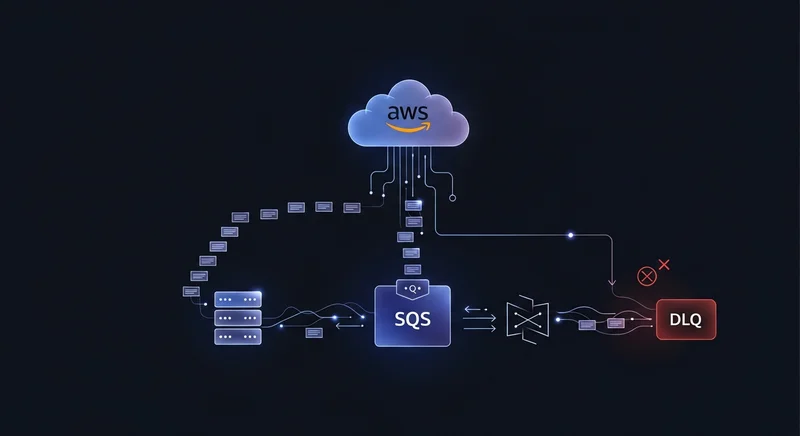
© AI Generated Image
1. Background and Problem Definition: Why Message Queues?
Consider a web application that sends an email in response to a user request.
Problems with Synchronous Processing:
- Slow Response Times: If there’s a communication delay with the SMTP server or a network issue, users must wait until the email is sent. This results in a very poor user experience.
- Tight Coupling: The web server and email sending module are directly linked. If the email sending server fails, the entire user registration functionality of the web server could be paralyzed.
- Scalability Limitations: If email sending requests surge, the web server’s load dramatically increases, potentially destabilizing the entire service. It’s difficult to scale email sending logic independently.
Asynchronous Message Processing and the Role of SQS: To solve these problems, we can introduce a message queue between the web server (Producer) and the email sending worker (Consumer).
- Producer: The web server creates a message containing the minimal information required for email sending (recipient email, subject, body, etc.), places it into the SQS queue, and immediately sends a fast response to the user, such as ‘Your request has been received.’
- Queue: SQS safely and reliably stores messages sent by the Producer.
- Consumer: A separate worker process periodically checks the queue, retrieves messages to be processed, and performs the actual email sending task.
This structure loosely couples the web server and email sending logic, preventing failures in one from affecting the other. It also allows independent scaling of each component, significantly improving the overall system’s stability and scalability.
2. Core Architecture and Principles
To build a robust asynchronous processing system, you need a clear understanding of SQS’s core concepts, especially the operational principles of Dead-Letter Queues (DLQ).
SQS Core Components
| Term | Description |
|---|---|
| Standard Queue | The default queue type. It guarantees at-least-once delivery, but message order is not guaranteed. It offers the highest throughput, making it suitable for most scenarios. |
| FIFO Queue | Guarantees First-In, First-Out (FIFO) delivery and supports exactly-once processing. Throughput is limited, used when order guarantee is essential (e.g., financial transactions). |
| Visibility Timeout | When a Consumer receives a message from the queue, the message becomes invisible to other Consumers. This is the duration for which the message remains hidden. If the Consumer does not process and delete the message within this time, it reappears in the queue for another Consumer to process. |
| Polling | The action of a Consumer checking the queue for new messages. There are two types: Short Polling and Long Polling. |
Dead-Letter Queue (DLQ) Architecture
Consumers may repeatedly fail to process messages. This could be due to malformed messages, exceptions caused by bugs, or temporary external API failures. If such ‘poison pill’ messages remain in the queue, Consumers will continuously attempt to process the same message, wasting resources and hindering the processing of other valid messages.
To solve this problem, we use a Dead-Letter Queue (DLQ).
- Source Queue: The primary queue where Producers send messages.
- Redrive Policy: A policy configured on the source queue. It defines that if message processing fails more than a specified number of times (
maxReceiveCount), the message is automatically moved to the DLQ. - Dead-Letter Queue (DLQ): A separate SQS queue where failed messages are ultimately collected.
This architecture immediately isolates failed messages from the source queue, ensuring overall system stability. Developers can then analyze messages accumulated in the DLQ to identify and resolve the root causes of issues.
3. Practical Code/Configuration Deep Dive
Now, let’s define the SQS queue and DLQ infrastructure as code using Terraform, and then implement a Producer and Consumer using Python (boto3).
3.1. Provisioning SQS and DLQ using Terraform
Using Terraform, an IaC (Infrastructure as Code) tool, allows you to manage infrastructure as reusable and version-controlled code.
First, let’s define the DLQ (my-app-dlq) to store failed messages.
# a_dlq.tf

resource "aws_sqs_queue" "my_app_dlq" {
  name = "my-app-production-dlq"

  # DLQ에 쌓인 메시지를 최대 14일간 보관
  message_retention_seconds = 1209600 # 14 days

  tags = {
    Environment = "production"
    ManagedBy   = "Terraform"
  }
}
Next, define the source queue (my-app-queue) and configure the redrive_policy to connect it to the DLQ created above.
# b_main_queue.tf

resource "aws_sqs_queue" "my_app_queue" {
  name = "my-app-production-queue"

  # 메시지 처리를 위한 가시성 제한 시간 (30초)
  visibility_timeout_seconds = 30

  # Long Polling 활성화 (20초)
  # Consumer가 메시지를 요청했을 때 큐가 비어있으면 최대 20초까지 대기
  receive_wait_time_seconds = 20

  # 재시도 정책 설정
  redrive_policy = jsonencode({
    # 실패한 메시지는 my_app_dlq.arn으로 지정된 DLQ로 이동
    deadLetterTargetArn = aws_sqs_queue.my_app_dlq.arn
    # Consumer가 메시지를 5번 수신(처리 시도)하고도 삭제되지 않으면 실패로 간주
    maxReceiveCount     = 5
  })

  tags = {
    Environment = "production"
    ManagedBy   = "Terraform"
  }
}
In the configuration above, since maxReceiveCount is set to 5, if a Consumer attempts to process a message 5 times but fails to delete it successfully within visibility_timeout_seconds, SQS automatically moves that message to my-app-production-dlq.
3.2. Implementing the Producer using Python (boto3)
This is the Producer code that receives user requests and sends messages to SQS.
# producer.py
import boto3
import json
import uuid

# SQS 클라이언트 생성
sqs = boto3.client('sqs', region_name='ap-northeast-2')

# Terraform에서 생성한 SQS 큐 URL
# 실제 환경에서는 환경 변수나 Parameter Store에서 가져오는 것을 권장합니다.
QUEUE_URL = 'https://sqs.ap-northeast-2.amazonaws.com/123456789012/my-app-production-queue'

def send_email_task(recipient_email, subject, body):
    """이메일 발송 작업을 SQS 큐에 추가합니다."""

    message_body = {
        'recipient_email': recipient_email,
        'subject': subject,
        'body': body
    }

    try:
        response = sqs.send_message(
            QueueUrl=QUEUE_URL,
            MessageBody=json.dumps(message_body),
            MessageAttributes={
                'type': {
                    'DataType': 'String',
                    'StringValue': 'email'
                }
            },
            # FIFO 큐 사용 시 필요한 파라미터. 표준 큐에서는 불필요.
            # MessageDeduplicationId=str(uuid.uuid4()),
            # MessageGroupId='email_group'
        )
        print(f"Message sent successfully. MessageId: {response['MessageId']}")
        return response['MessageId']
    except Exception as e:
        print(f"Error sending message: {e}")
        return None

if __name__ == '__main__':
    # 정상적인 이메일 발송 작업 요청
    send_email_task(
        recipient_email='[email protected]',
        subject='Welcome to our service!',
        body='Thank you for signing up.'
    )

    # [🚨 테스트용] 고의로 오류를 유발하는 잘못된 형식의 메시지 전송
    # 이 메시지는 Consumer에서 처리 실패 후最终적으로 DLQ로 이동하게 됩니다.
    sqs.send_message(
        QueueUrl=QUEUE_URL,
        MessageBody='{"invalid_json": "this will cause a parsing error"' # Missing closing brace
    )
    print("Sent a malformed message to test DLQ.")
3.3. Implementing the Consumer using Python (boto3)
This is the Consumer (worker) code that periodically retrieves and processes messages from the SQS queue.
# consumer.py
import boto3
import json
import time

sqs = boto3.client('sqs', region_name='ap-northeast-2')
QUEUE_URL = 'https://sqs.ap-northeast-2.amazonaws.com/123456789012/my-app-production-queue'

def process_email_message(message):
    """실제 이메일 발송 로직을 수행합니다."""
    try:
        # [🚨 중요] 메시지 본문 파싱
        # 여기서 JSON 파싱 에러 등이 발생하면 예외 처리되어 메시지가 삭제되지 않음
        task_data = json.loads(message['Body'])

        recipient = task_data['recipient_email']
        subject = task_data['subject']

        print(f"Sending email to {recipient} with subject '{subject}'...")
        # 여기에 실제 이메일 발송 로직 (e.g., a call to AWS SES or an SMTP library)
        time.sleep(2) # 이메일 발송에 2초가 걸린다고 가정
        print("Email sent successfully.")

        return True # 처리 성공

    except json.JSONDecodeError as e:
        print(f"[ERROR] Failed to parse message body: {message['Body']}. Error: {e}")
        return False # 처리 실패
    except KeyError as e:
        print(f"[ERROR] Missing key in message body: {e}. Body: {message['Body']}")
        return False # 처리 실패
    except Exception as e:
        print(f"An unexpected error occurred while sending email: {e}")
        return False # 처리 실패


def main_loop():
    """메인 워커 루프: SQS 큐를 계속 폴링하며 메시지를 처리합니다."""
    print("Worker started. Waiting for messages...")
    while True:
        try:
            # Long Polling을 사용하여 메시지를 수신합니다.
            response = sqs.receive_message(
                QueueUrl=QUEUE_URL,
                MaxNumberOfMessages=10, # 한 번에 최대 10개의 메시지를 가져옴
                WaitTimeSeconds=20, # Long Polling 대기 시간
                AttributeNames=['All'],
                MessageAttributeNames=['All']
            )

            if 'Messages' in response:
                messages = response['Messages']
                print(f"Received {len(messages)} messages.")

                for message in messages:
                    # 메시지 처리 시도
                    is_successful = process_email_message(message)

                    # [🚨 매우 중요] 처리가 성공한 경우에만 큐에서 메시지를 삭제합니다.
                    if is_successful:
                        sqs.delete_message(
                            QueueUrl=QUEUE_URL,
                            ReceiptHandle=message['ReceiptHandle']
                        )
                        print(f"Message {message['MessageId']} deleted.")
            else:
                print("No messages in queue. Waiting...")

        except Exception as e:
            print(f"An error occurred in the main loop: {e}")
            time.sleep(5) # 예기치 못한 에러 발생 시 잠시 대기 후 재시도

if __name__ == '__main__':
    main_loop()
The core of the Consumer code above is that sqs.delete_message is called only when the process_email_message function returns True (i.e., processing is successful). If an exception occurs during processing and False is returned, the message is not deleted. It reappears in the queue after the visibility_timeout expires, allowing another Consumer to process it. If this process repeats maxReceiveCount times, the message moves to the DLQ.
4. Performance Optimization and Best Practices
4.1. Actively Utilize Long Polling
It’s essential to enable Long Polling by setting receive_wait_time_seconds to 1 second or more (up to 20 seconds).
- Cost Savings: Reduces unnecessary
ReceiveMessageAPI calls (empty responses) when the queue is empty, significantly cutting costs. - Performance Improvement: Increases the likelihood that a Consumer will receive a message immediately upon its arrival in the queue, reducing overall processing latency.
4.2. Maximize Throughput with Batch Operations
Using batch APIs instead of send_message and delete_message for single messages can reduce network overhead and increase throughput.
send_message_batch: Sends up to 10 messages in a single API call.delete_message_batch: Deletes up to 10 messages in a single API call.
In systems that need to process a large volume of messages, the use of batch operations significantly impacts overall performance.
4.3. Ensure Consumer Idempotency
SQS Standard Queues guarantee ‘at-least-once’ delivery, meaning the same message can occasionally be delivered more than once due to network issues or other factors. Therefore, your Consumer logic must be designed to be idempotent, ensuring that processing the same message multiple times always yields the same result.
- Example: When processing an ‘order creation’ message, you should add logic to check if the
order_idalready exists in the database before attempting an insert.
4.4. Essential Monitoring and Alarm Configuration with CloudWatch
For stable operations, you must monitor the following CloudWatch metrics:
| Metric Name | Meaning and Monitoring Purpose | Recommended Alarm Settings |
|---|---|---|
ApproximateAgeOfOldestMessage (Source Queue) |
The age of the oldest message in the queue. A continuous increase in this value indicates that the Consumer’s processing speed cannot keep up with the Producer’s message generation rate. | Trigger an alarm if a specific threshold (e.g., 300 seconds) is exceeded, prompting Consumer scaling or performance review. |
ApproximateNumberOfMessagesVisible (DLQ) |
The number of messages accumulated in the DLQ. If this value is greater than 0, it means messages are failing to be processed in the system, requiring immediate investigation. | Configure an alarm to send an immediate notification (e.g., to a dev/ops Slack channel) when this value is 1 or greater. |
[🚨 Security Note] The Slack Webhook URL in the code below must be replaced with a real value.
# 예시: Serverless Framework를 이용한 DLQ 알람 설정
functions:
  myConsumer:
    # ...
    alarms:
      - name: high-dlq-messages-alarm
        namespace: "AWS/SQS"
        metric: ApproximateNumberOfMessagesVisible
        threshold: 0
        statistic: Sum
        period: 60
        evaluationPeriods: 1
        comparisonOperator: GreaterThanThreshold
        # DLQ 이름으로 Dimension 설정
        dimensions:
          QueueName: my-app-production-dlq
        # 알람 발생 시 SNS 토픽으로 알림 전송
        actions:
          - arn:aws:sns:ap-northeast-2:123456789012:slack-notification-topic
4.5. DLQ Message Redrive Strategy
Messages accumulated in the DLQ might need to be reprocessed after a bug fix or dependency service recovery. The AWS console provides a ‘Start DLQ redrive’ feature to send messages from the DLQ back to the source queue. It’s advisable to automate this process or have scripts for periodic reprocessing.
5. Conclusion
By leveraging AWS SQS and Dead-Letter Queues (DLQ), you can overcome the limitations of synchronous processing and build a scalable, fault-tolerant, reliable asynchronous message processing system. Decoupling each component of the system prevents a single failure from causing a complete system outage and allows for a flexible architecture that can adapt to traffic fluctuations.
Key takeaways from this post are summarized below:
- Loose Coupling: Separate Producers and Consumers via SQS to ensure system stability and scalability.
- Failure Isolation: Configure DLQs and redrive policies to automatically isolate failed messages and protect the system’s main flow.
- IaC-based Management: Manage infrastructure as code using Terraform to ensure consistency and reproducibility.
- Robust Consumer Implementation: Delete messages from the queue only upon successful processing, and rigorously handle exceptions to prevent message loss.
- Performance Optimization and Monitoring: Optimize performance with Long Polling and batch processing, and continuously monitor queue status via CloudWatch to proactively detect potential issues.
Beyond simply implementing functionality, applying these production-level considerations will enable you to build a reliable backend system for any situation.