What Leaders Should Decide First When Adopting Anthropic for Their Team
This post was written and edited with AI, then published after operator review. Thumbnails may also be AI-generated.
A colleague joined a new project and was tasked with refactoring a legacy module. To understand a file with thousands of lines, they copied the entire code into a high-performance model like Claude 3 Opus and started asking questions. The results were quite satisfactory, but another team member doing a similar task used a different model or a different questioning approach and received completely different answers.
Everyone was surprised by the monthly bill. We found that certain tasks incurred costs tens of times higher than expected. The root cause was indiscriminately feeding long contexts. While individual productivity might have temporarily increased, for the team as a whole, it led to unpredictable costs and a lack of consistency in output.
In this post, I’ll cover some rules and default settings that a technical lead or senior developer should establish when introducing Anthropic models to a team. This can help manage costs predictably and maintain a consistent quality of output from team members.
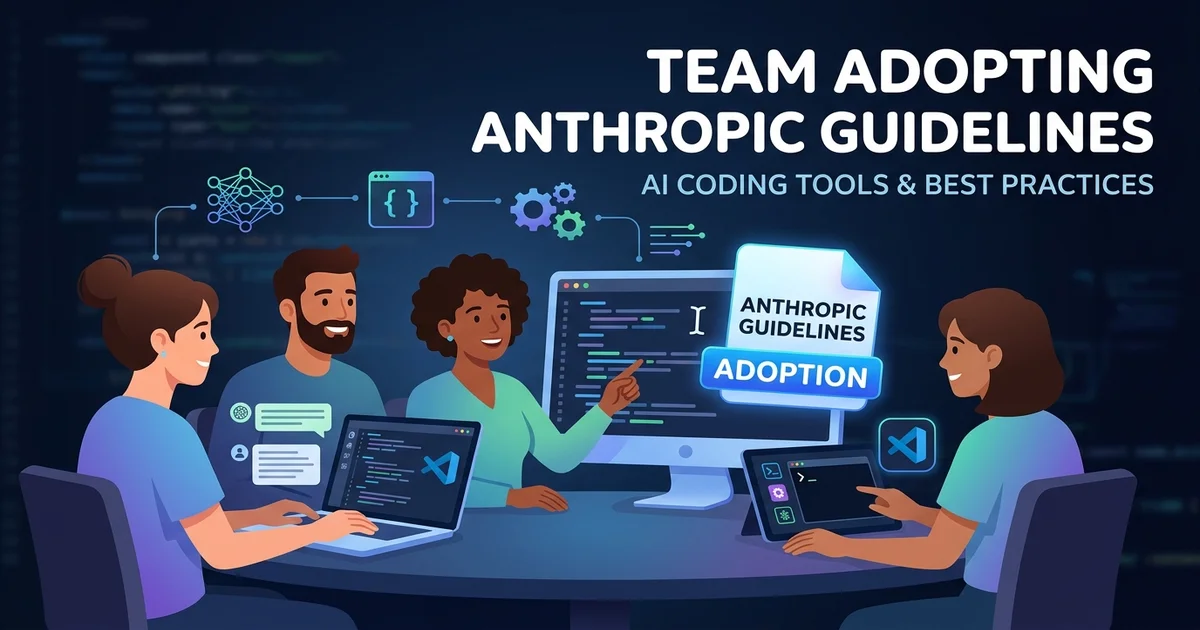
© AI Generated Image
Why Rules Are Necessary: Between Freedom and Chaos
The biggest advantage of integrating LLM APIs into team workflows is their ability to process vast amounts of information. However, this strength can also be a direct disadvantage due to cost. Without clear guidelines, team members will utilize models in different ways, leading to unpredictable costs and varying output quality.
The most common issue is the “best model for everything” mentality. Despite lighter, faster models being suitable for certain tasks, there’s a tendency to always choose the most expensive model (e.g., Claude 3 Opus). Additionally, without standards for how much context to provide or how to provide it, users repeatedly input entire files.
Therefore, establishing minimal rules at the team level is not about curbing individual autonomy, but an essential step for the team’s sustainable use of these tools.
1. Model Selection and Usage Limits
Not every task requires the Opus model. Guiding team members to select the appropriate model based on task nature can significantly reduce costs. I recommend establishing and sharing the following simple criteria for your team:
- Claude 3 Haiku: Suitable for fast and cost-effective tasks like simple code formatting, comment generation, or commit message writing.
- Claude 3 Sonnet: Use as the default for most development tasks (function writing, logic analysis, test case generation). It offers the best balance of performance and cost.
- Claude 3 Opus: Reserve for tasks requiring deep reasoning and high cost tolerance, such as complex architecture analysis or proposing large-scale legacy code refactoring. Use only after discussion with a team lead.
Furthermore, when calling the API directly in scripts or internal applications, you must set the max_tokens parameter to prevent unexpected cost spikes from overly long responses.
import anthropic

client = anthropic.Anthropic(
    # API 키는 환경 변수에서 읽어옵니다.
    api_key="<YOUR_ANTHROPIC_API_KEY>",
)

# 예측 가능한 비용을 위해 max_tokens를 필수로 설정합니다.
# 일반적으로 4096 정도면 충분한 응답을 받을 수 있습니다.
MAX_TOKENS_FOR_RESPONSE = 4096

message = client.messages.create(
    model="claude-3-sonnet-20240229",
    max_tokens=MAX_TOKENS_FOR_RESPONSE, # 출력 토큰 제한
    messages=[
        {"role": "user", "content": "이 Python 함수의 시간 복잡도를 분석해줘."}
    ]
)

print(message.content)
By implementing safeguards at the code level like this, the system can compensate for developer errors.
2. Standardizing System Prompts
If each team member uses a different system prompt, the model’s response tone, format, and focus will vary. Consistency in output is especially crucial for structured tasks like code reviews or documentation generation.
It’s beneficial to create a team-wide system prompt template and encourage its use. For example, a system prompt for code reviews could look like this:
You are an expert software developer with a focus on writing clean, maintainable, and robust code.
Your task is to review the provided code snippet.

Please follow these instructions:
1.  **Primary Goal**: Identify potential bugs, performance issues, and deviations from best practices.
2.  **Clarity**: Provide clear and concise feedback. For each point, explain *why* it's an issue and suggest a specific improvement.
3.  **Tone**: Maintain a constructive and collaborative tone. Avoid overly critical language.
4.  **Format**: Structure your feedback using markdown. Use headings for major points and bullet points for details.
5.  **Scope**: Do not comment on code style (like indentation or line length) unless it severely impacts readability. Focus on logic and structure.
Registering such templates in a wiki or team shared document and instructing team members to set them as default in their environments can significantly reduce variations in output.
3. Context Length and Format Guidelines
Clear rules are needed to manage context input, which is often the biggest cost driver.
- Rule 1: Do not input entire files.
- Select and provide only the minimal functions, classes, or code blocks necessary for the question.
- Rule 2: Provide dependency information concisely.
- When asking about a specific class, instead of including the entire code of its parent classes or other objects it uses, summarize only the necessary method signatures or attributes in text.
- Example: When asking about a
Usermodel, explicitly stating “This model inherits fromBaseModeland hascreated_atandupdated_atfields” is much more efficient than pasting the entireBaseModelcode.
- Rule 3: Manage conversation history wisely.
- When continuing a conversation in a chat interface, all previous dialogue is included in the context, accumulating costs. Make it a rule to start a new chat window if the topic changes or if previous information is no longer needed.
Rather than enforcing these rules, it’s crucial to explain why they are needed (cost savings, eliciting more accurate answers) to team members to build consensus.
Conclusion: Applying Rules to Your Situation
A single set of rules cannot apply to all teams. The key is to establish appropriate guidelines based on team size, project nature, and budget.
| Situation | Recommendation | Reason |
|---|---|---|
| Solo Developer or Side Project | Flexible Model Choice + Cost Monitoring | Speed is more important than rules. Even with expensive models, maximizing individual productivity might be beneficial. However, a habit of regularly checking costs is necessary. |
| Startup (5-10 people) | Designate Sonnet as Default, Share System Prompt Templates | Balance between fast development and cost efficiency is crucial. Standard models and prompt templates enhance collaboration consistency and ensure cost predictability. |
| Large Team Managing Legacy Systems | Strict Model Selection Rules, Mandatory Context Reduction Guides, Enforce max_tokens on API Calls |
Stability and cost control are top priorities. High-performance models like Opus should be used only with approval, and clear cost limits should be enforced at the code level to prevent unexpected expenditures. |
AI models are powerful tools, but they come with a clear trade-off between cost and consistency. By establishing minimal rules tailored to your team’s situation and continuously refining them, you can utilize this tool much more sustainably and effectively.